BlogPaying
Paying your qist with JazzCash, from your own phone
By the Mobilistan team
, 3 min read
No shop visit, no queue. Here is exactly what you will see on the screen, step by step.
If you have a JazzCash account, you can pay your Mobilistan instalment from home. It takes about a minute. Keep two things ready: the JazzCash number you want to pay from, and its MPIN.
On our website
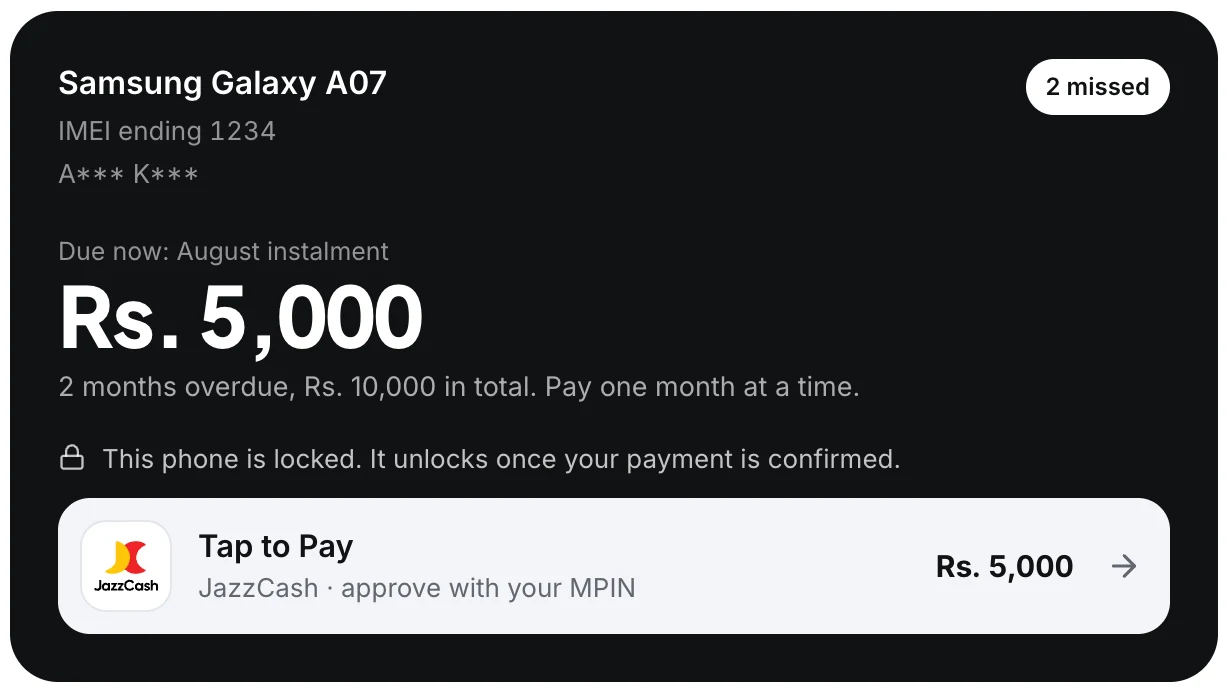
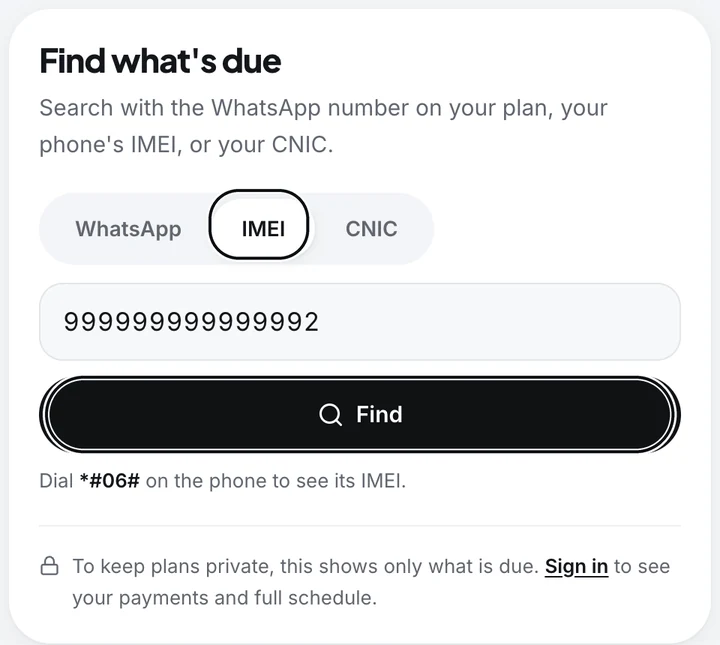
Go to mobilistan.pk/pay and search with your WhatsApp number, your phone’s IMEI or your CNIC. Your phone appears with the month that is due.
Under the amount, tap Tap to Pay. Type your JazzCash number and press Pay.
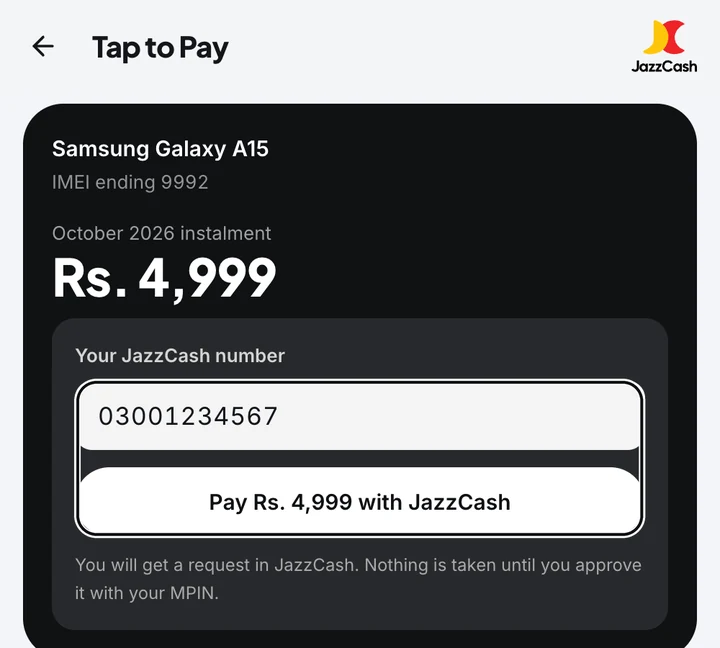
A timer starts. Now switch to the JazzCash app. You have about 50 seconds.
In the JazzCash app
Tap My Account in the top corner, then Payment Requests. You will see a request from Mobilistan. Tap Pay, check the amount, confirm, and enter your 4-digit MPIN.
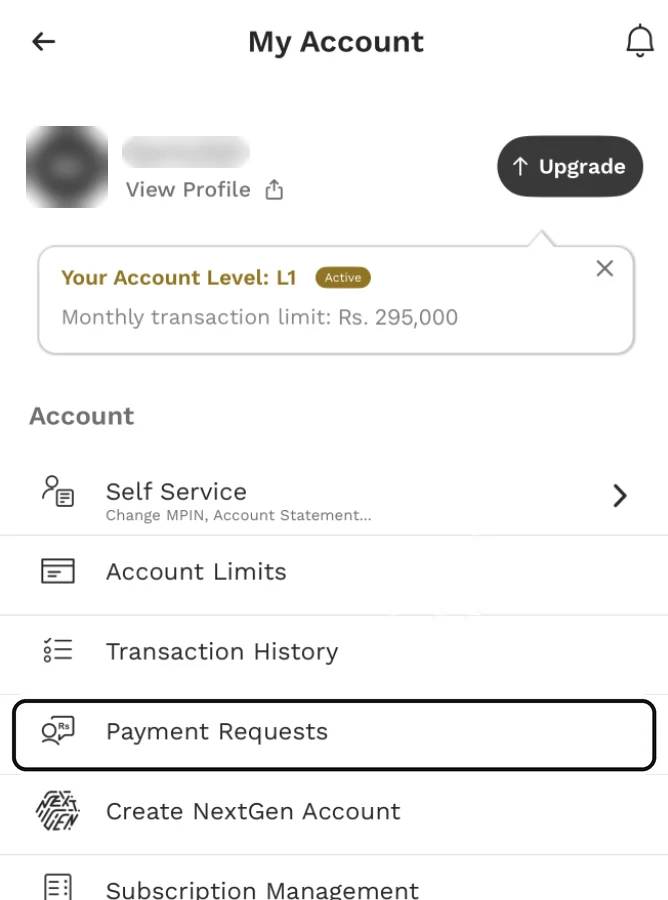
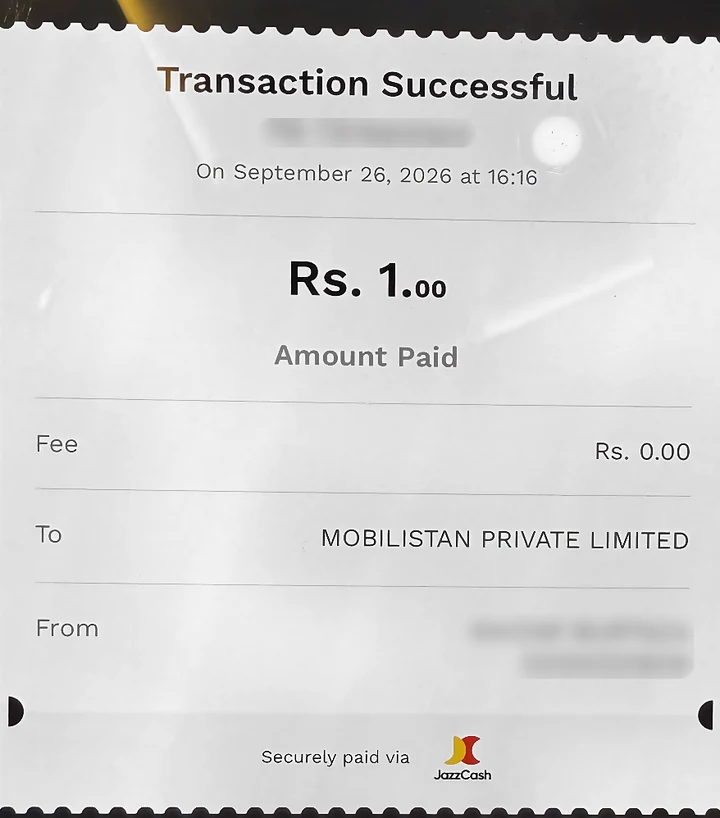
That’s it. Our page confirms the payment too. If your phone was locked, it opens by itself, usually within a few minutes.
If the timer runs out
JazzCash cancels a request that isn’t approved in about 50 seconds, and then holds your wallet for about 6 minutes before it accepts a new one. Our page counts those minutes down for you. When it reaches zero, press Pay again.
A few things people ask us
You pay one month at a time, oldest first. Once it goes through you can pay the next month straight away if you want to.
Your son, brother or a friend can pay for you from their own JazzCash. They just search with your details.
Only pay through mobilistan.pk/pay, the Mobilistan app, or our helpline, 0370-8199951. If anyone asks you to send money any other way, call us first.
Still stuck? Call us on 0370-8199951.
Pay your instalment